
Introducing snoei
Published on
My development workflow these days makes heavy use of worktrees and stacked PRs. This has the benefit of proper isolation per branch so that agents working in each don't step on each others' toes, but comes with a major downside: a massive unwieldy list of leftover worktree folders.
I wanted a quick and easy way to clean these up after the pull request on GitHub had been merged. git fetch --prune only deleted the reference to the branch in .git/, not the actual branch itself. I could copy/paste a long shell command from StackOverflow that says it cleans up all the branches, but those never seemed to actually do what I wanted them to do.
So, 3 or 4 prompts later, snoei was born! Running snoei without any arguments or options presents you with a list of branches that no longer exist on the remote, all of them checked on by default:
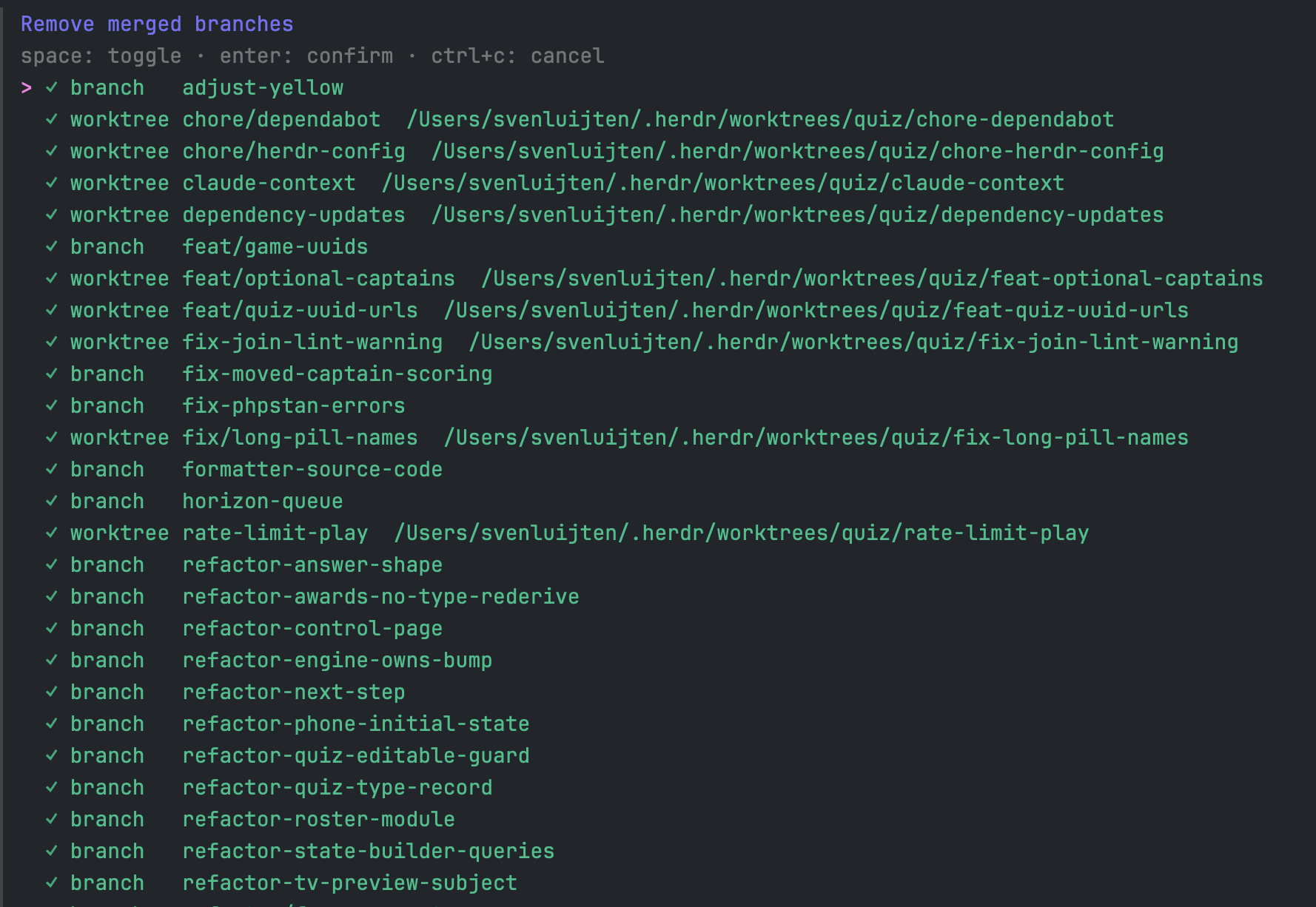
Deselect the ones you wnat to keep around with Space, and once you're happy, hit Enter to remove all the selected branches and their associated worktree folders. It skips over the current worktree/branch, worktrees that have uncommitted files, and worktrees with unpushed commits.
It runs against the current directory by default, but you can give it a path as an argument and it'll run from there:
1snoei /path/to/project
You can script it with the --list, --json, --yes/-y, and --force options, see what would be deleted with --dry-run (if using --yes), and skip running git fetch --prune with --no-fetch.
If you're also stuck with dozens of leftover worktrees, install it with brew install svenluijten/tap/snoei and give it a try!